
What Is Legal Practice Management Software in Canada, and Does Your Firm Need It?
By Tejas Bhadange ·
Legal practice management software brings client intake, matters, documents, deadlines, billing and communication into one workspace. This guide explains what it is, how Canadian law and immigration firms use it day to day, and when a dedicated platform makes sense. It also covers what to compare before buying: security and privacy, trust accounting rules in your province, integrations, and total cost, including per-user versus fixed pricing.
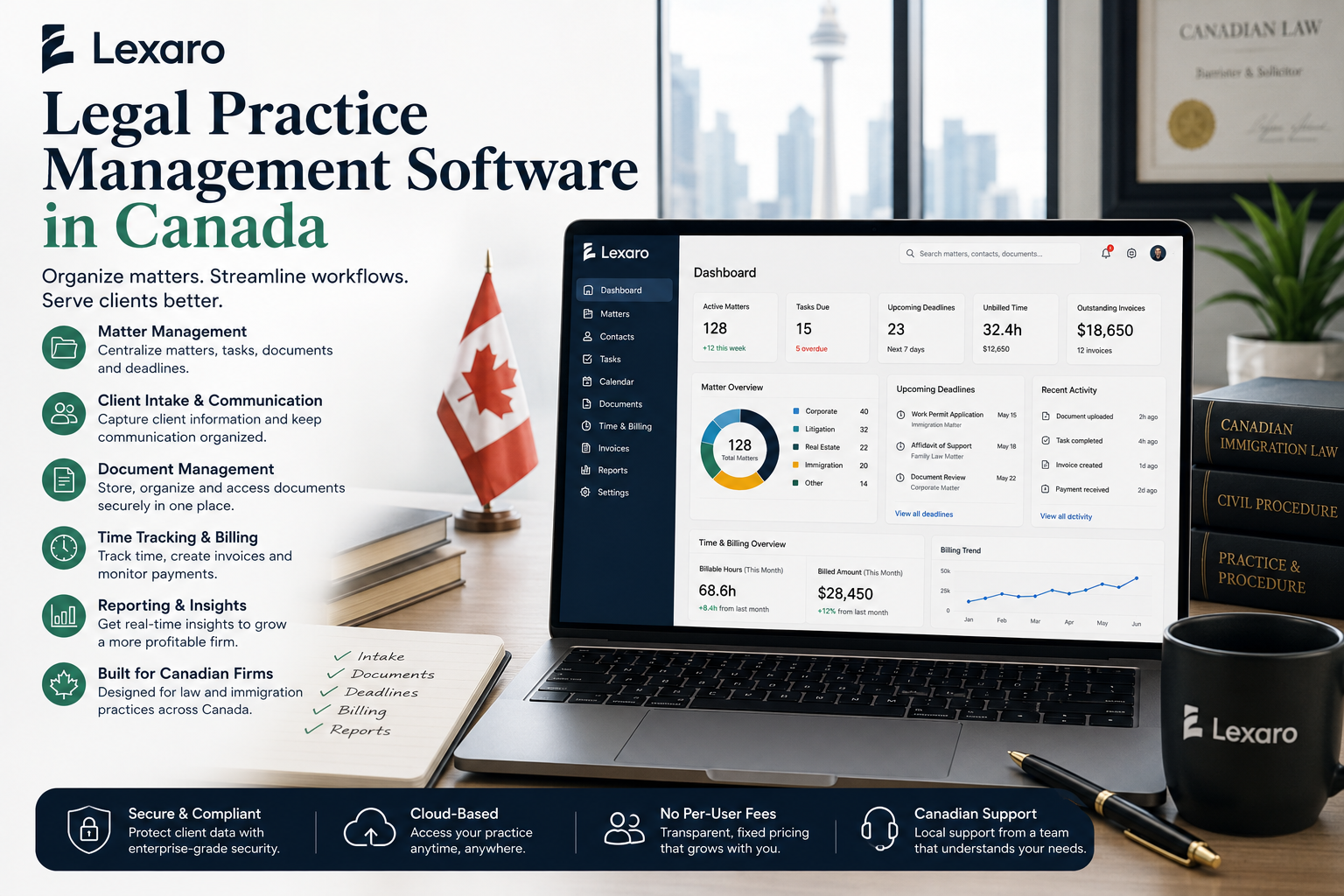
Running a law firm involves far more than practising law. Between client intake, matter updates, document preparation, billing, and deadlines, administrative work can consume hours that could otherwise be spent serving clients. Legal practice management software Canada helps firms bring these everyday operations into one connected workspace instead of relying on scattered spreadsheets, email threads, and separate applications.
For Canadian lawyers, solo practitioners, and immigration firms, the right platform can improve organization, support more consistent workflows, and make it easier to see what is happening across the practice. But does every firm need one? The answer depends on your workload, existing tools, and plans for growth.
What Is Legal Practice Management Software?
Legal practice management software is a digital platform that helps lawyers manage the business and operational side of their practice. Depending on the product, it can combine client records, matter management, document organization, task scheduling, time tracking, billing, reporting, and client communication.
Instead of switching between multiple tools to find a document or check a deadline, your team can access related information from a central matter record.
For example, a Toronto-based family lawyer might use the software to organize client correspondence, store financial disclosure documents, assign follow-up tasks, and track important dates. An immigration practice in Vancouver might use it to collect client information, organize supporting documents, and monitor application-related milestones.
The exact features vary by provider, so firms should confirm which capabilities are included in their chosen plan.
How Does Law Firm Software Canada Help Day to Day?
The main benefit of law firm software Canada is not simply digitizing paperwork. It is connecting tasks that would otherwise require repeated manual work.
1. Keep client and matter information organized
A centralized matter record can bring together contact details, notes, correspondence, documents, deadlines, and assigned tasks. This helps lawyers and support staff find relevant information without searching several folders or inboxes.
2. Reduce repetitive administrative work
Templates, automated reminders, recurring task lists, and structured workflows can reduce routine data entry and follow-ups. For example, opening a new matter could trigger an internal checklist so the team knows which documents and next steps require attention.
3. Improve billing visibility
Time tracking and billing tools can help firms record billable work, prepare invoices, and monitor outstanding payments. Reporting can also help partners identify workload bottlenecks and understand how the practice is performing.
Important: If your firm handles client trust funds, verify that the product supports the accounting and reporting requirements applicable in your province. General billing functionality does not automatically mean a platform supports compliant trust accounting.
4. Make client communication clearer
Client portals and organized communication workflows can provide a consistent place for clients to share documents, receive updates, and ask questions. Clearer communication can reduce repeated requests and help clients understand what happens next.
Does Your Canadian Law Firm Need Legal Practice Management Software?
You may benefit from a dedicated platform if several of these situations sound familiar:
Client information is scattered across spreadsheets, email, and shared drives.
Important dates depend on someone remembering to check a calendar.
Staff repeatedly ask colleagues for the latest document or matter status.
Time entries and invoices are prepared long after work is completed.
Client intake and document collection involve too many manual steps.
Your firm is growing, but your administrative processes have not kept pace.
A solo practitioner with a small caseload may manage effectively with a simple set of tools. However, when the number of active matters, clients, or team members increases, disconnected systems can become harder to maintain.
Before buying software, identify your three biggest operational problems. Use those priorities to evaluate whether a new platform will deliver meaningful value.
What Should Canadian Firms Check Before Choosing Software?
Not every product advertised as legal software is suitable for every Canadian practice. Use these criteria to compare your options.
Security, privacy, and confidentiality
Law firms handle sensitive personal, financial, and legal information. Ask providers about encryption, access permissions, audit logs, backups, incident response, data retention, subprocessors, and where information is stored and processed.
Review the provider’s privacy terms and your professional obligations. The Law Society of Alberta’s software selection guidance highlights confidentiality, due diligence, usability, and practice-specific requirements. The Office of the Privacy Commissioner of Canada also provides guidance on privacy responsibilities involving third-party service providers.
Provincial accounting requirements
Trust accounting and reporting rules differ by jurisdiction. Confirm compatibility with your applicable law society’s requirements rather than assuming that a feature marketed as “legal accounting” will meet every obligation.
Immigration-specific workflows
For immigration consultants and law firms, look for structured intake, document checklists, matter milestones, reminders, and secure client communication. Confirm whether the system supports your particular workflow. Do not assume it automatically prepares or submits government applications.
Integrations, usability, and total cost
Check whether the platform works with your existing email, calendar, document storage, e-signature, and accounting tools. Request a demonstration using realistic tasks your team performs every week.
Compare the full cost, including subscriptions, add-ons, onboarding, migration, training, and support. Also check whether pricing is per user or fixed, and whether client, matter, or document limits apply.
Is Lexaro Worth Considering?
Lexaro is an AI-powered legal practice management platform designed for Canadian law and immigration firms. It brings together matter management, client intake, document workflows, task and deadline tracking, time and billing tools, reporting, and client communication.
Its fixed-pricing approach, with no per-user fees on applicable plans, may appeal to firms that want predictable costs as their teams grow. AI-assisted tools can also help with selected drafting, summarization, and administrative workflows, but lawyers remain responsible for reviewing outputs and exercising professional judgment.
Explore Lexaro’s legal practice management platform to review its available features and plans. Before choosing any provider, confirm that the specific plan supports your firm’s required workflows, integrations, privacy needs, and accounting obligations.
Make Your Firm’s Daily Work Easier
The right software should help your team spend less time chasing information and more time moving matters forward. Start by identifying your operational challenges, then compare platforms against the features and safeguards your practice actually needs.
Ready to explore a more connected way to manage your practice? Visit Lexaro.ca to explore the platform, review available plans, and see whether it fits your firm’s needs.
Frequently Asked Questions
What is the best legal practice management software in Canada?
The best option depends on your firm’s size, practice area, budget, and workflow. Compare matter management, security, billing, integrations, client communication, and any provincial trust-accounting requirements before deciding.
How much does legal practice management software cost in Canada?
Pricing varies by provider, plan, and included features. Compare per-user subscriptions, fixed-rate plans, add-ons, onboarding, and data migration to understand the total cost.
Is cloud-based law firm software secure?
It can be secure when appropriate technical and organizational safeguards are in place. Review the provider’s security controls, access permissions, data handling practices, and contractual terms before uploading confidential client information.
Do immigration consultants need specialized software?
Not every consultant needs a specialized platform, but practices managing multiple clients and document-heavy applications may benefit from immigration-focused workflows, organized records, reminders, and secure client communication.
Can a small law firm use general practice management software?
Yes. Many small firms can use general legal practice management tools, provided the selected product supports their specific practice area, client workflows, and regulatory obligations.