
How to Choose Law Firm Software in Canada: A 2026 Buyer’s Checklist
By Tejas Bhadange ·
Learn how to choose law firm software in Canada with this 2026 checklist covering features, security, billing, immigration workflows, and pricing.
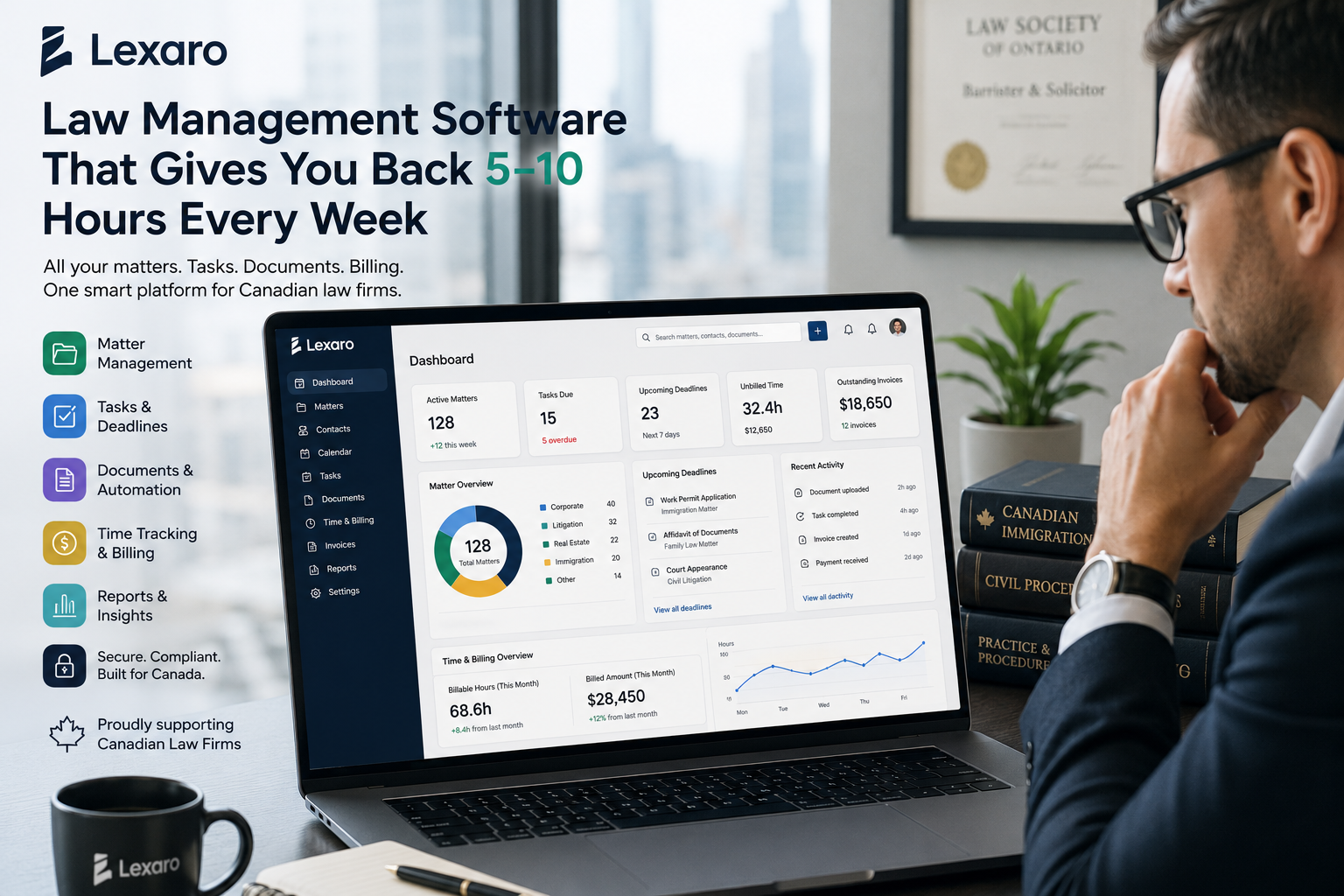
Choosing the right law firm software can make everyday legal work easier, from managing client files to tracking deadlines and preparing invoices. But with so many platforms available, how do you know which one fits your practice, budget, and professional responsibilities?
For Canadian lawyers, the decision involves more than comparing features. You also need to consider confidentiality, provincial law society requirements, integrations, and the time it takes to move your existing files. This buyer’s checklist will help you evaluate law firm software in Canada and choose a solution that supports your firm today and as it grows.
What Is Law Firm Software?
Law firm software brings essential practice-management tools together in one digital workspace. Depending on the platform, it can help lawyers manage matters, organize documents, communicate with clients, automate routine tasks, track time, and handle billing.
Instead of switching between disconnected applications and spreadsheets, your team can work from a more organized system.
For solo practitioners, this can mean less administrative work. For small and mid-sized firms, it can improve collaboration, visibility, and consistency across multiple matters.
7 Things to Check Before Choosing Law Firm Software in Canada
1. Look for Complete Matter and Case Management
Matter management is the foundation of effective legal practice management software in Canada. Your chosen platform should make it easy to find client information, review matter details, track progress, and organize related documents.
Before committing, ensure that the software supports:
Centralized client and matter records
Conflict-checking workflows
Task assignments and deadline tracking
Shared calendars and reminders
Secure access to matter-related information
Ask for a demonstration using a realistic example from your practice. A system that looks impressive in a presentation may not fit your team's actual workflow.
2. Evaluate Document Management and Automation
Legal work involves contracts, correspondence, client forms, evidence, and other sensitive documents. A reliable system should help you organize files, control access, and retrieve information without unnecessary searching.
Look for features like e-signature capabilities, version control, document templates, and integrations with the tools your company already is using.
Workflow automation is equally important. For example, opening a new matter could trigger an intake checklist, assign tasks, and create reminders. These small improvements can reduce repetitive work and help staff follow consistent processes.
3. Prioritize Security and Canadian Privacy Considerations
Law firms handle confidential information, so security should be a deciding factor rather than an afterthought.
Ask potential vendors about:
Encryption in transit and at rest
Multi-factor authentication and role-based permissions
Audit logs and backup procedures
Data storage locations and subprocessors
Data retention, export, and deletion policies
Incident response and recovery procedures
Canadian privacy obligations depend on the organization, information, and jurisdiction. PIPEDA applies to many private-sector commercial activities, while provincial laws may also be relevant. Review the Office of the Privacy Commissioner of Canada’s guidance and consult the applicable law society where needed.
Do not assume that cloud hosting automatically makes a platform compliant or that Canadian data residency is always a universal legal requirement. Verify the arrangements against your firm's specific obligations.
4. Check Billing, Time Tracking, and Accounting
Billing features can influence both cash flow and administrative workload. If your firm bills hourly, look for convenient time tracking, expense recording, invoice generation, and reporting.
If you handle retainers or trust funds, verify whether the platform supports the accounting and reporting requirements applicable to your province. Not every legal practice management system includes complete trust accounting.
Also check how the software handles applicable taxes, payment integrations, and alternative billing arrangements. Verify the precise features that are part of the subscription you have chosen.
5. Consider Immigration-Specific Workflows
If you operate an immigration practice, general legal software may not cover every workflow you need.
When comparing immigration software in Canada, assess whether the platform can help you:
Organize client intake and supporting documents
Track application-related tasks and important dates
Maintain clear matter histories
Coordinate document requests and follow-ups
Communicate securely with clients
Standardize recurring administrative workflows
Check whether the platform supports the specific immigration matters you handle. Do not assume it automatically prepares, submits, or tracks government applications unless the vendor confirms those capabilities.
6. Review Integrations, Usability, and Support
The best system is one your team can use consistently. Evaluate its interface, mobile accessibility, onboarding process, and available customer support.
Check whether it integrates with your existing email, calendar, accounting, cloud storage, and e-signature tools. For example, connecting familiar applications can reduce duplicate data entry and help keep workflows organized.
Before signing a contract, ask for a guided trial or demonstration. Have the people who will use the software test common tasks rather than relying only on management's opinion.
7. Evaluate the Overall Price, Not Just the Subscription
The lowest total cost is not necessarily represented by the lowest published price.
Consider the full expense of adopting and maintaining the system, including:
Monthly or annual subscription fees
Additional feature or storage charges
Data migration and implementation
Training and ongoing support
Third-party integrations
Future costs as your firm grows
Ask vendors for a written breakdown of recurring and one-time costs. If you are comparing flat-rate and per-user pricing, calculate what each option would cost with your current team and anticipated growth.
Your 2026 Law Firm Software Buyer’s Checklist
Before making your final decision, confirm that the software meets your firm's essential requirements.
Matter and client management meet your needs.
Documents are arranged, and access is managed.
Tasks, deadlines, and calendars support your workflow.
Billing and trust accounting requirements have been verified.
Security controls and data-handling policies are documented.
Required integrations are available.
Migration, training, and support are clearly explained.
Total costs and contract terms are understood.
Immigration-specific or other practice-area needs are covered.
Your team has tested the platform before purchase.
Use this checklist to score shortlisted vendors against the same criteria. A consistent evaluation makes it easier to compare options objectively.
Why Consider Lexaro for Your Legal Practice?
Lexaro is an AI-powered legal practice management platform designed for Canadian law firms and immigration practices. It brings together capabilities such as matter management, client intake, document workflows, billing, reporting, and workflow automation.
For firms seeking a more connected way to manage day-to-day operations, Lexaro is one option worth evaluating against the requirements in this checklist.
Explore Lexaro’s legal practice management platform to learn more about its available capabilities and determine whether they suit your firm's needs.
Final Thoughts
Choosing law firm software in Canada is an investment in how your practice operates. Focus on the features your team needs, verify security and accounting requirements, test everyday workflows, and compare total costs before making a commitment.
Ready to simplify your firm's legal workflows? Explore Lexaro and see whether its legal practice management capabilities are the right fit for your practice.
Frequently Asked Questions
1. What is the best law firm software for small law firms in Canada?
The best law firm software depends on your firm's size, practice area, budget, and daily workflows. Compare matter management, document storage, billing, trust accounting, security, and ease of use before choosing a platform.
2. How much does law firm management software cost in Canada?
Law firm management software costs vary by provider, subscription plan, and included features. Compare per-user fees, flat-rate plans, data migration, training, integrations, and support to understand the total cost of ownership.
3. What features should Canadian lawyers look for in legal practice management software?
Canadian lawyers should prioritize matter management, secure document storage, deadline tracking, client intake, time tracking, billing, reporting, and reliable integrations. Firms handling trust funds should also verify whether the software supports their applicable provincial accounting requirements.
4. Is cloud-based legal practice management software secure?
Cloud-based legal practice management software can offer strong security when appropriate safeguards are in place. Before choosing a provider, review its encryption, access controls, audit logs, backup procedures, data storage arrangements, and incident-response policies.
5. What should immigration law firms look for in Canadian immigration software?
Canadian immigration practices should look for client intake, matter tracking, document organization, deadline reminders, secure client communication, and repeatable workflows. Verify that the software supports your specific practice needs rather than assuming it automates government application submissions.
6. How do I switch law firm software without losing client files?
Start by reviewing your current data, identifying essential records, and asking the new provider about migration support and export formats. Test the transfer with sample matters, verify documents and financial records, and retain appropriate backups before fully switching systems.
7. Is flat-rate law firm software better than per-user pricing?
Flat-rate pricing may suit firms that want predictable costs as their teams grow, while per-user pricing can work for smaller teams with limited staffing needs. Compare the included features, user limits, add-on fees, and expected costs over the next few years.
8. Is Lexaro worth considering for Canadian law firms?
Lexaro is an AI-powered legal practice management platform for Canadian law and immigration firms. It brings together capabilities such as matter management, client intake, document workflows, billing, and reporting. Review Lexaro's website to explore its available features and assess whether they match your firm's requirements.